Thursday, January 26, 2012

Material choices

In choosing material choices for our libraries, we stepped back and looked not at how they were applied, but the materials themselves and attributes that went along with them. We were given the time-old marriage cliche "something old, something new, something borrowed, and something blue" in regards to our four materials. I would say that in deciding on a color scheme and the types of materials were easy but when it came to those parameters, it was tough! The four I finished out with were lace (something old-and out of the box), energy tiles (new), iron (borrowed from Abbey Library St Gaulen), and wallpaper (blue-though not necessarily on the wall). I feel that my material scheme comes together first of all by the actual materials themselves. I believe the delicacy of the lace stands in stark contrast to the hard, rough qualities of the iron and since these two were black and white, color needed to be introduced. This was accomplished from the two other materials, blue wall covering and green energy tiles. They each have their own unique texture they can bring to the space. Those were the realitively obvious comparisons between two. Now to switch them. I believe the lace has a connection with the wallpaper in that together they promote a sense of calmness. The opposite goes for the iron with the energy tiles. Though the tiles will bring sustainability into the mix, they also bring in some life into the space. They provided a type of light, a fun pop of color, and reference to a new, youthful outlook to the future. In contrast, iron has been a strong statement in many spaces for several centuries now and provides a look back, a nod if you will, to older times along with the lace.
Now secondly, my materials came together in the form of my deliverable. The lace and energy tile were included in my box which is meant to be the blue wall covering enclosing them while representational iron tied them all together. I wanted to illustrate that they could work together in a seemless way and still make an impact alone. Each one has a specific use and part within the grand scheme of things, just as would happen eventually in the space itself.
Conceptually I believe that the materials combine to form an insight from the past and inspiration towards the future. The colors ingraved within the materials were very important to me. Blue was a thought even before the parameters were given because it promotes productivity as well as calmness. The other color included in the materials palette is a spring grass green which encourages success and therefore is important within a library space. A common user travels the space believing for success in finding correct information for a variety of projects. These tiles could further encourage student success and cause an increased use of the space. Lace and iron are the ones that really bring that old fashioned, antique quality to the space, again, allowing for the fusion of the past and present to come together in a wonderful harmonious composition.

Tuesday, January 17, 2012

Response to Parametric Modeling

Parametric modeling makes digital modeling easier and more efficient for the user. This is a new approach that is surfacing in the design world. It assigns real-world behaviors and attributes to the model. For example, if the pitch of the roof is changed, the user does not need to be concerned about having to go in and change the height of the walls. Parametric modeling programs do that for you. It revises everywhere so you don’t have to. Parametric modeling also provides a schedule for the project, keeping each component of the model in a category: doors, windows, etc. If these parts are changed in the graphic model, they change on the list. Even if they are changed in the list, they are changed in the model. This program updates the changes you make for you. Not having to do steps twice makes modeling so much easier and less time consuming.
     
Having this assignment to complete has really helped me see how simple parametric programs (such as Revit) can be. This program has the potential to really help me in the future. Revit is so user friendly. Want to draw a wall? Draw a wall. It’s that simple. For me, it was straightforward because I drew the wall exactly as I thought I would draw it: by selecting the wall tool and drawing it in its desired location. There are some setbacks to BIMs, and those have to be dealt with. You have to make sure that when deleting a line or point, it doesn’t delete other important things that might be attached to it, like a wall. Some would say transitioning from a 2D program like CAD to a 3D program (Revit) would be difficult. I have used CAD and although it’s somewhat user friendly, Revit is much more so. The article mentions this great feature: “a change anywhere is a change everywhere.” This means that I don’t have to double check the cross references because it does that for me already. I enjoy that Revit has no layers. No layers means more time in my book. You will not have to consistently check to see if you are on the correct layer. The fact that you can go back and forth quite effortlessly from 2D to 3D is fantastic; which basically means having an ‘intelligent connection’ between every aspect. This allows you to see a perspective version of the project, as it would look from all angles. This is really a great feature.

So, pulling from my previous Revit experience as well as the tutorial I have worked on and completed, I cannot find any annoyances of the program as of yet. This opinion might change in the future, but I am going out on a limb and saying that I enjoy Revit now and therefore intend on using it extensively in the future. Having heard that Revit is being used in big time Architect firms, it is safe to say I would like to continue to learn and grow in this program for future endeavors.

Tuesday, January 10, 2012

Summary of Computing in Architectural Design

This article gave a brief informational history of computing in Architecture. It was interesting to see how far it has come to help in design. Towards the beginning in the 1970s, computing took on two categories. One was specifically for mechanical engineering and the other exclusively for the construction industry. This was the first generation. After these programs were initiated, a tidal wave occurred in programming. There were constantly people dreaming up and implementing new and better advances. Industries began to see immediate advantages of having this illustrative software for their designers. They were able to see new things graphically that before people would have to hand draw. This way, it was accurate. These programs were beginning to be used not only now for visualizing the design in an illustrative form but to actually solve building issues before construction even began. This first generation used more architectural ideas instead of computer science to iterate ideas. This was supposed to help the software, but it would need a few more years to mature to become truly user friendly.

These first generation programs needed large powerful computers along with expensive displays in order to actually use the software how it was meant to be. Enter personal computers! After these were introduced in the industry, it became easier, not to mention cheaper to use these programs for large firms. Thus began the second generation of CAD systems. It was initially written for Apple but other companies quickly jumped on the personal computer bandwagon. They brought with them faster, more powerful processors, better display resolutions, and ink jet printers. This furthermore allowed the programs to not only be used for architectural drafting, but for basic photo realistic renderings. They hit the scene and they hit big. Clients would not have long to wait anymore to see their projects come to life. This was a big step forward in my book for computer modeling programs. Though computer model was making a big leap forward with rendering, they fell backwards in the technical aspect. Instead of having analytical capabilities that were vital in the first generation, that was exchanged for polygons, solids, and NURBS. This all changed in the third generation.

People knew that this was not an option. These programs should have both the rendering and drafting capabilities. At various Universities, they set about making this come into fruition. They all tried fusing the non-informational solid shapes into units that would have sets of rules and qualities to distinguish them from others. They came to find out the following: “…recent advances in object-orient programming (OOP), artificial intelligence (AI), and database management systems (DBMS) are the underpinnings of the third generation CAD systems.” As of now, we are still in the third generation era. There is a continuation to make these programs better but it is difficult to pair ‘comprehensive building-specific data and knowledge bases” with that of “nongeometric attributes into an effective design support system.”  

     Computing helps not only in the architectural field. The brobdingnagian aspects of its existence is in the ability to communicate. No longer do people have to be in the same room or even the same city to talk and see ideas. They could even be a part of a meeting from their own home if they would like. In more advanced computing, the computer or program has the ability to do specific tasks for the user. The example given in the article is to tell the computer, "design a staircase between these floors" and it would. That blows my mind that we have come so far. Taking this one step further and looking outside of using computers in design is utilizing one day to day. Computers are used in security systems, automatic doors, cell phones, car systems, etc. There are little computers everywhere doing big jobs and most of those jobs never even cross our mind. Our cars have a plethora of computers running every second. All we do is turn the key and put it in drive. That is what makes it so interesting. I believe what hit me the most in this article is the fact that technology has become so ingrained in our culture. This just astounds me. Knowing where computing has come from has shown me that this shouldn't be taken for granted but to be used with tremendous gratitude. Computing is such an important and vital role in our culture today. It has come so far, but I bet it will go farther. It will be fun seeing what comes next in the computing world of design tool as well as a help in life and being a part of the process is a truly great opportunity.

Saturday, December 10, 2011

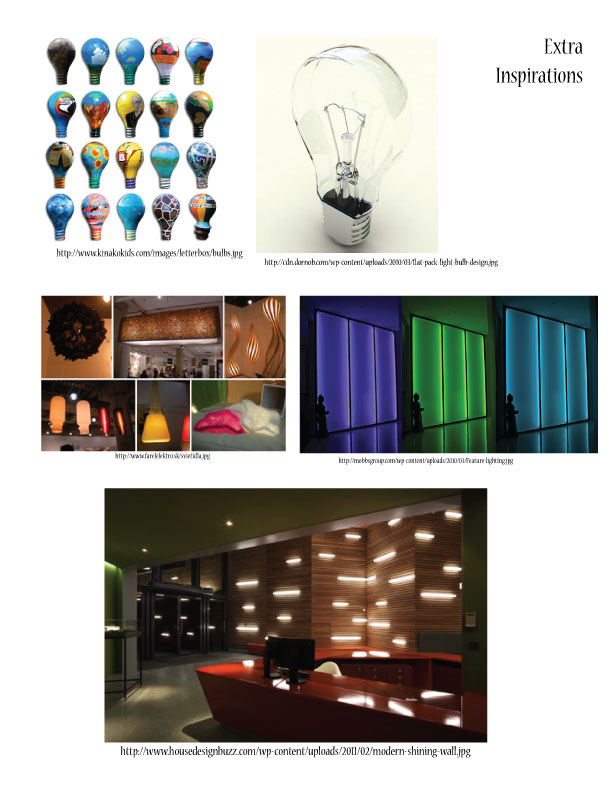
Final Light board


This is the text I have included on the board: 
my design statement:
By infusing several of my recent projects into one, I designed this light fixture. My design process began with inspiration from the orbital patterns of an atom where electrons follow various paths to form continuous circles. My piece abstracts that orbital pattern, forming the birdcage shape it is affectionately known for. Its odd yet structured shape allows it to have the opportunity to be placed in a variety of settings.

materials:
1x4 oak board
24 curved hollow metal rods
32 straight metal rods
8- #9 3/4”- screws
3- #9 1”- screws
1 lamp
socket
wiring with plug
1- 3/4”x3/8”galvanized bushing
1- 3/4” galvanized coupling
2- 3/4” galvanized flange
1- 12 galvanized pipe
1- 1 1/2” nipple
17 1/2”x 12”- mylar

Inspirations from Materials, Methods and Design


Sketch Series 5 and 5.5


Photometric Exercise/Quantitative Analysis